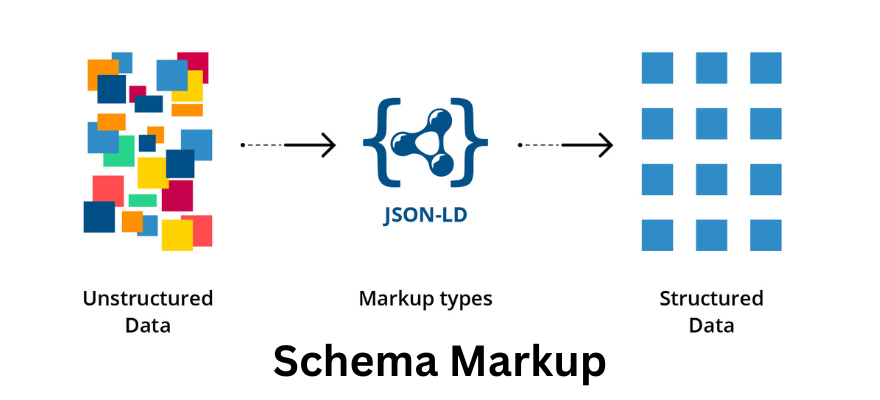

What is Schema Markup Language?
Schema Markup Language (commonly just called Schema Markup or Structured Data) is a type of semantic vocabulary (code) that you add to your website to help search engines understand the content of your pages better.
It uses structured data based on Schema.org — a collaborative project by Google, Bing, Yahoo, and Yandex — to define and tag different types of information (like products, reviews, events, FAQs, recipes, etc.).
Benefits of Schema Markup Language
| Benefit | Description |
|---|---|
| Rich Snippets | Adds extra info (stars, images, prices, etc.) in SERPs |
| Better CTR | Attractive snippets encourage more clicks |
| Improved Local SEO | Helps appear in “Local Pack” and Maps |
| Voice Search Optimization | Helps search engines answer spoken queries |
| Brand Visibility | Schema builds trust with structured brand data |
| Faster Indexing | Search engines understand your page faster |
| Improved Site Structure | Encourages organized, semantic content |
How Schema Markup Helps SEO
Schema markup doesn’t directly improve rankings, but it enhances your listings’ appearance, leading to:
-
Higher CTR (click-through rates),
-
Better user engagement,
-
More visibility in rich results,
-
Improved semantic understanding by Google.
- Future-Proof SEO – Structured data prepares your website for AI-driven and semantic search.
All these indirectly contribute to stronger SEO performance.
Types Of Schema Markup
Schema markup helps search engines identify what kind of information a webpage contains. Different schema types are designed for different purposes
| Schema Type | Use Case | SEO Benefit |
|---|---|---|
| Product | E-commerce products | Rich product snippets |
| Review | Ratings & testimonials | Star ratings |
| Event | Conferences, webinars | Event rich results |
| FAQ | Q&A pages | FAQ rich results |
| Recipe | Cooking sites | Recipe cards with ratings |
| Organization | Company info | Knowledge Graph visibility |
| Article | Blogs, news | Featured article snippets |
| Local Business | Physical stores | Local Pack visibility |
Lets See Some Kind of Schema Types You Can Use
- Organization Schema (for Homepage)
I Used this on my homepage (https://maheshgangurde.com)
<script type=”application/ld+json”>
{
“@context”: “https://schema.org”,
“@type”: “Organization”,
“name”: “Mahesh Gangurde”,
“url”: “https://maheshgangurde.com/”,
“logo”: “https://www.maheshgangurde.com/wp-content/uploads/2025/10/Untitled-design.png”,
“sameAs”: [
“https://www.facebook.com/LetsDigitalHub”,
“https://www.linkedin.com/maheshgangurde”,
“https://twitter.com/digital_mahesh”,
“https://www.instagram.com/letsdigitalhub/”
],
“contactPoint”: {
“@type”: “ContactPoint”,
“contactType”: “Customer Support”,
“email”: “mahesh.gangurde2024@gmail.com”,
“areaServed”: “IN”
}
}
</script>
2) Person Schema (About Page)
I Used this on My “Who I Am?” or “About” page.
<script type=”application/ld+json”>
{
“@context”: “https://schema.org”,
“@type”: “Person”,
“name”: “Mahesh Gangurde”,
“url”: “https://maheshgangurde.com/”,
“image”: “https://www.maheshgangurde.com/wp-content/uploads/2025/10/Untitled-design.png”,
“jobTitle”: “Professional Digital Marketing Expert”,
“worksFor”: {
“@type”: “Organization”,
“name”: “Mahesh Gangurde”
},
“sameAs”: [
“https://www.facebook.com/LetsDigitalHub”,
“https://www.linkedin.com/maheshgangurde”,
“https://twitter.com/digital_mahesh”,
“https://www.instagram.com/letsdigitalhub/”]
}
</script>
3) Article / BlogPosting Schema (for Blog Posts)
I Used this for my blog posts like your “Open Graph SEO” article.
<script type=”application/ld+json”>
{
“@context”: “https://schema.org”,
“@type”: “BlogPosting”,
“mainEntityOfPage”: {
“@type”: “WebPage”,
“@id”: “https://maheshgangurde.com/the-hidden-seo-power-of-social-media-open-graph-tags-youre-probably-ignoring/”
},
“headline”: “The Hidden SEO Power of Social Media Open Graph Tags You’re Probably Ignoring”,
“description”: “Learn how Social Media Open Graph tags improve SEO, boost CTR, and enhance link previews across Facebook, LinkedIn, and WhatsApp.”,
“image”: “https://maheshgangurde.com/wp-content/uploads/2025/11/social-media-og-tags.jpg”,
“author”: {
“@type”: “Person”,
“name”: “Mahesh Gangurde”,
“url”: “https://maheshgangurde.com/”
},
“publisher”: {
“@type”: “Organization”,
“name”: “Mahesh Gangurde”,
“logo”: {
“@type”: “ImageObject”,
“url”: “https://www.maheshgangurde.com/wp-content/uploads/2025/10/Untitled-design.png”
}
},
“datePublished”: “2025-11-11”,
“dateModified”: “2025-11-11”
}
</script>
4) Review Schema
Use if you publish testimonials or service feedback
<script type=”application/ld+json”>
{
“@context”: “https://schema.org”,
“@type”: “Review”,
“itemReviewed”: {
“@type”: “Service”,
“name”: “Digital Marketing Consultation”
},
“author”: {
“@type”: “Person”,
“name”: “Ravi Sharma”
},
“reviewRating”: {
“@type”: “Rating”,
“ratingValue”: “5”,
“bestRating”: “5”
},
“reviewBody”: “Excellent SEO advice! My website ranking improved within weeks.”
}
</script>
5) FAQ Schema
<script type=”application/ld+json”>
{
“@context”: “https://schema.org”,
“@type”: “FAQPage”,
“mainEntity”: [
{
“@type”: “Question”,
“name”: “What is Schema Markup?”,
“acceptedAnswer”: {
“@type”: “Answer”,
“text”: “Schema Markup is a structured data language that helps search engines understand your content and show rich results.”
}
},
{
“@type”: “Question”,
“name”: “Does Schema Markup improve SEO?”,
“acceptedAnswer”: {
“@type”: “Answer”,
“text”: “Yes, it improves how your website appears in search results, increasing click-through rates and visibility.”
}
}
]
}
</script>
6) Local Business Schema
Use if you offer services in a specific city or have a local office.
<script type=”application/ld+json”>
{
“@context”: “https://schema.org”,
“@type”: “LocalBusiness”,
“name”: “Mahesh Gangurde Digital Marketing Services”,
“image”: “https://www.maheshgangurde.com/wp-content/uploads/2025/10/Untitled-design.png“,
“url”: “https://maheshgangurde.com/”,
“telephone”: “+91-8097320517”,
“email”: “mahesh.gangurde2024@gmail.com”,
“address”: {
“@type”: “PostalAddress”,
“streetAddress”: “260/1, Dr. Ambedkar Road, Opp. Kurla Police Station, Kurla (W)”,
“addressLocality”: “Mumbai”,
“postalCode”: “400070”,
“addressCountry”: “IN”
},
“priceRange”: “₹₹”,
“openingHours”: “Mo-Sa 09:00-18:00”
}
</script>
How to Use These Schema Codes
You can insert these directly into your WordPress site using:
-
WPCode or Insert Headers and Footers plugin (for HTML snippets)
- Header Footer Code Manager (HFCM) – By DraftPress Team
How to Testing the Schema Markup Laugnage
After adding the code:
-
Go to one of your blog posts, right-click → View Source
-
Find the
<script type="application/ld+json">tag in the head. -
Copy the schema and paste it into:
You should see “BlogPosting” detected without errors or warnings.
Google Search Console (for Live Testing)
🔗 URL: https://search.google.com/search-console/
✅ Best For:
-
Verifying how Google actually sees your structured data in real search results
-
Monitoring rich result performance (e.g., clicks, impressions, errors)
Bing Markup Validator (Optional for Microsoft Edge/Bing SEO)
🔗 URL: https://www.bing.com/webmasters/markup-validator
✅ Best For:
-
Checking how Bing interprets your structured data
-
Complementary to Google’s test


1 comments On Schema Markup Explained The Secret Code Behind Better Google Rankings
Pingback: Ranking in the Age of AI: How to Optimize Your Website for Google SGE & AI Search - Mahesh Gangurde ()
Comments are closed.